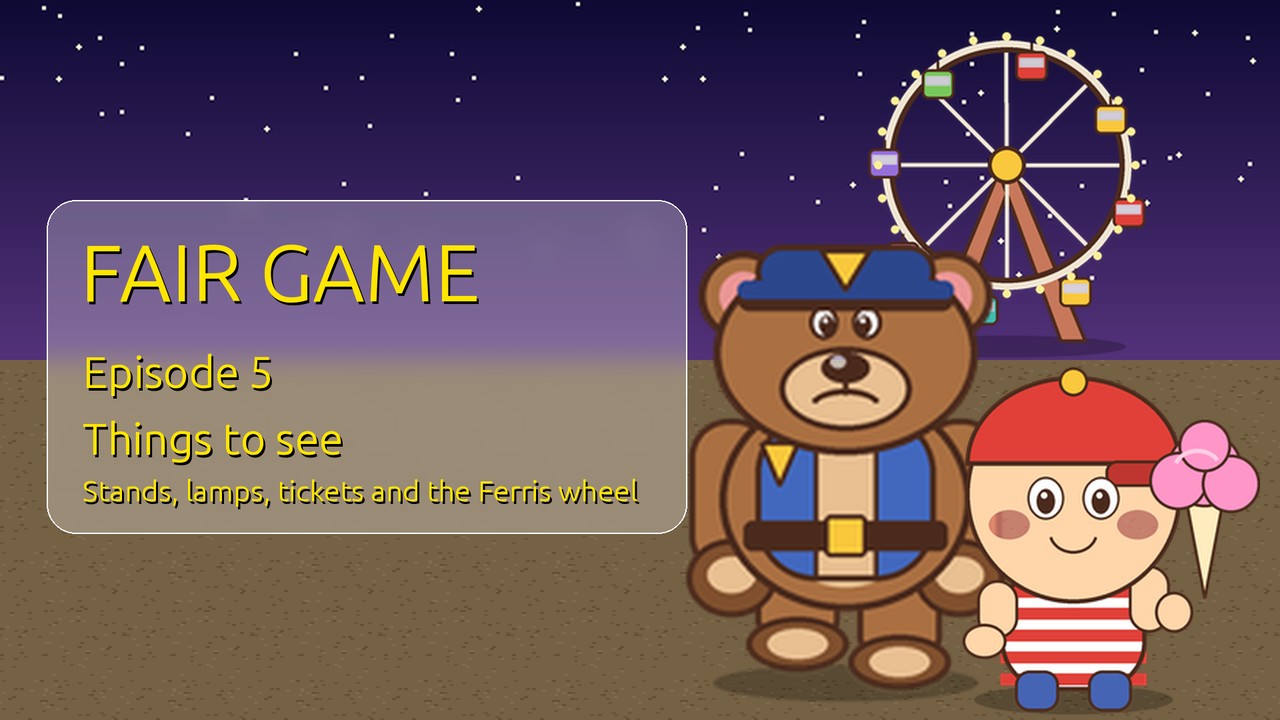
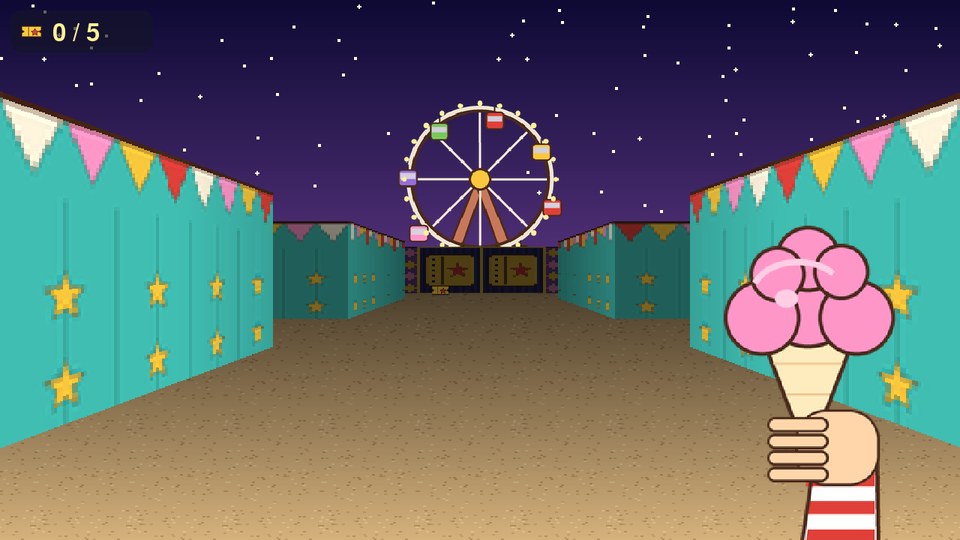
Stands, lamps, balloons and tickets stand in the fairground, the Ferris wheel rises behind the gate, and Pip's hand holds a cotton candy. Walk over a ticket and the counter goes up.
▶Prefer to watch? This short video runs this page's main commands on a real Ubuntu 24.04 desktop, with on-screen captions and a synthetic voiceover (an AI voice trained on the author's own recording). Click to play, or watch it on YouTube.
Episode 5 ends with this: the fairground has things in it. The candy stand and the soda stand stand in the middle of the plaza, lamps and balloons are dotted about, tickets lie in the alleys, and the Ferris wheel stands over the gate at the end of the corridor. A hand holds a cotton candy at the bottom right and bobs as you walk. Walk over a ticket and it disappears and the counter in the top left goes up by one.

You will need: your project from episode 4, or the starter files below.
You will make: a project function that says where a point lands on the screen, a draw_sprite function, a Thing class, pickups, a hand and a HUD.
You will learn: sprites, working out a screen position and a depth from a map position, a depth buffer, painter's order, and why the Ferris wheel is drawn before the walls.
Starter files: fair-game-ep04.zip is where this episode begins, fair-game-ep05.zip is where it ends. Both have the art folder.

The code of each step was run headless on Python 3.12 with pygame 2.5, and what it does is described below.
Where we start
Open a terminal, go to the project, turn on the virtual environment and run the game:

$ cd fair-game
$ source .venv/bin/activate
(.venv) $ python game.py

The textured fairground from episode 4, 198 lines. This episode is the largest so far, and it is the one that makes the place feel like somewhere. There are two steps: first the sprites and the wheel, then the things to pick up and the screen furniture.
A cardboard cut-out
The walls are made of rays. The stands, the lamps and the tickets are not walls: they are pictures that stand in the world, drawn flat, and always facing us, like a cardboard cut-out that turns to look at you. These are called billboards or sprites. A flat picture cannot show its back or its side, but for a lamp or a candy stand, nobody minds.

To draw a sprite we need to answer one question: where on the screen, and how big? We know where the thing is on the map, (x, y), and where Pip is and which way he looks. The answer is the same camera plane as in episode 3, used the other way round:

1  Take the vector from Pip to the thing.
2  Split it into two parts: how far it is sideways (along the plane) and how far it is ahead (along the direction). That is two dot products, written out as one 2 x 2 matrix inverse.
3  The ahead part is the depth. Less than about 0.2 and it is behind Pip, or inside his face: skip it.
4  The sideways part, divided by the depth, says how far from the middle of the screen it is. (This is the perspective: the same sideways distance is a small angle when it is far away.)
5  The height on screen is the same HEIGHT / depth that a wall of one tile would have, times how tall the thing is in walls.

That is project() in the code, and it is ten lines.
Step 1: sprites and the Ferris wheel
Make these changes to game.py:

Add this after line 47 of your file (COLW = WIDTH // RAYS)

TICKETS_NEEDED = 5
# Things to look at that are not in the map: (x, y, picture, height in walls).
DECOR = [(6.5, 10.5, "lamp", 1.0), (19.5, 10.5, "lamp", 1.0), (11.5, 4.5, "lamp", 1.0), (14.5, 4.5, "lamp", 1.0), (3.5, 3.5, "balloons", 0.8), (22.5, 3.5, "balloons", 0.8), (6.5, 15.5, "balloons", 0.8), (19.5, 15.5, "balloons", 0.8)]

- - -

Add this after line 135 of your file (art["floor"] = make_floor())

    for name in ("stand_candy", "stand_soda", "ticket", "ticket_icon", "lamp", "balloons", "ferris_wheel", "hand_candy"):
        art[name] = pygame.image.load(ART / f"{name}.png").convert_alpha()

- - -

Replace line 140

    """One vertical strip per ray: the nearer the wall, the taller the strip. Each strip is one column of the wall's picture."""

with

    """One vertical strip per ray: the nearer the wall, the taller the strip. Each strip is one column of the wall's picture.
    Returns the distance of every strip, so sprites can hide behind walls."""

- - -

Add this after line 142 of your file (screen.blit(art["floor"], (0, HEIGHT // 2)))

    draw_wheel(screen, player, art)

- - -

Add this after line 144 of your file (plane_x, plane_y = -dy * FOV, dx * FOV   # the camera plane: sideways across the view)

    zbuf = []

- - -

Add this after line 147 of your file (dist, side, ch, hit = cast(player.x, player.y, dx + plane_x * camera, dy + plane_y * camera))

        zbuf.append(dist)

- - -

Add this after line 159 of your file (screen.blit(strip, (col * COLW, top)))

    return zbuf


def project(player, x, y):
    """Where does the world point (x, y) land on the screen? Returns (screen x, depth), or None if it is behind us."""
    dx, dy = math.cos(player.angle), math.sin(player.angle)
    plane_x, plane_y = -dy * FOV, dx * FOV
    rx, ry = x - player.x, y - player.y
    inv = 1 / (plane_x * dy - dx * plane_y)
    side = inv * (dy * rx - dx * ry)
    depth = inv * (-plane_y * rx + plane_x * ry)
    if depth < 0.2:
        return None
    return int(WIDTH / 2 * (1 + side / depth)), depth


def draw_wheel(screen, player, art):
    """The Ferris wheel stands behind the ticket gate: drawn before the walls so they hide its feet."""
    p = project(player, 13.0, 1.0)
    if not p:
        return
    sx, depth = p
    depth = max(depth, 6.0)   # it stays the same size when we walk up to the gate
    h = int(5.5 * HEIGHT / depth)
    wheel = pygame.transform.scale(art["ferris_wheel"], (h, h))
    screen.blit(wheel, (sx - h // 2, HEIGHT // 2 + int(HEIGHT / (2 * depth)) - h + 8))


def draw_sprite(screen, art, zbuf, player, name, x, y, height, lift=0.0):
    """A flat picture that always faces us, scaled by its distance. Columns behind a wall are skipped."""
    p = project(player, x, y)
    if not p:
        return
    sx, depth = p
    h = int(height * HEIGHT / depth)
    if h < 2 or h > 2400:
        return
    img = art[name]
    w = max(1, int(h * img.get_width() / img.get_height()))
    left = sx - w // 2
    cols = [col for col in range(max(0, left) // COLW + 1, min(WIDTH, left + w) // COLW) if col < RAYS and depth < zbuf[col]]
    if not cols:   # off to the side, or completely behind a wall: nothing to draw
        return
    bottom = HEIGHT // 2 + int(HEIGHT / (2 * depth)) - int(lift * HEIGHT / depth)
    img = pygame.transform.scale(img, (w, h))
    shade = int(255 * max(0.3, min(1.0, 1.6 / (1 + depth * 0.25))))
    img.fill((shade, shade, shade, 255), special_flags=pygame.BLEND_RGBA_MULT)
    for col in cols:
        screen.blit(img, (col * COLW, bottom - h), (col * COLW - left, 0, COLW, h))


class Thing:
    """A picture standing in the fairground: a ticket, a stand, a lamp."""

    def __init__(self, kind, x, y, height):
        self.kind, self.x, self.y, self.height = kind, x, y, height


def make_things():
    things = []
    for ty, row in enumerate(MAP):
        for tx, ch in enumerate(row):
            if ch == "t":
                things.append(Thing("ticket", tx + 0.5, ty + 0.5, 0.35))
            elif ch == "c":
                things.append(Thing("stand_candy", tx + 0.5, ty + 0.5, 0.95))
            elif ch == "d":
                things.append(Thing("stand_soda", tx + 0.5, ty + 0.5, 0.95))
    for x, y, name, height in DECOR:
        things.append(Thing(name, x, y, height))
    return things


def collect(player, things):
    """Walk over a ticket to pick it up."""
    for thing in things[:]:
        if thing.kind == "ticket" and math.hypot(thing.x - player.x, thing.y - player.y) < 0.6:
            things.remove(thing)
            player.tickets += 1

- - -

Replace line 174

    player = Player()

with

    player, things = Player(), make_things()

What is new:

TICKETS_NEEDED = 5            five tickets will open the gate (episode 9)
DECOR                         things to look at that are not in the map: lamps and balloons. Each is (x, y, picture name, height in walls)
load_art, the sprite names    a second loop loads the sprites with convert_alpha, which keeps the transparent background
render_walls returns zbuf     the list of the distance of every strip. We want it later: a sprite must not be drawn over a wall that is nearer than it is
project(player, x, y)         the answer to the question above: returns the screen column and the depth, or None if the point is behind us
draw_wheel                    draws the Ferris wheel at the gate, at (13, 1) on the map. It is drawn BEFORE the walls, in render_walls, so the walls that stand in front of it (the gate and the fence) hide its feet. The depth is never allowed to be less than 6, so when you walk up to the gate the wheel stays the same size instead of growing to fill the sky
draw_sprite                   scales the picture to its height on screen and blits it a column at a time. A column is skipped if the wall in that column is nearer than the sprite: that is what the depth buffer is for. Sprites further away than 2400 pixels tall are skipped, and we multiply the picture by a grey for distance shading, as with the walls
class Thing                   a kind (the name of its picture), a position and a height: a ticket is 0.35 of a wall high, a lamp a full wall
make_things                   walks the map: t gives a ticket, c a candy stand, d a soda stand, each at the middle of its tile (x + 0.5). Then it adds everything in DECOR
the draw order                things are sorted by distance, farthest first, and drawn in that order, so a near lamp covers a far one. That is the painter's algorithm: paint the background first, the foreground last

Run it:

(.venv) $ python game.py

You see the same corridor with the Ferris wheel standing over the gate at the end. Walk up the corridor: the walls in front of it hide its feet. The stands, lamps and balloons are not here yet: make_things builds the list of them, but nothing draws that list until the next step. (Checked: it ran for 120 frames with the up key held and closed normally, exit status 0.)
Step 2: tickets, a hand and a counter
Make these changes to game.py:

Add this after line 75 of your file (self.angle = -math.pi / 2  # facing up the map)

        self.tickets = 0
        self.walked = 0.0

- - -

Add this after line 92 of your file (self.try_move(math.cos(self.angle) * walk * SPEED * dt, math.sin(self.angle) * walk * SPEED * dt))

        self.walked += abs(walk) * SPEED * dt

- - -

Add this after line 255 of your file (screen.blit(panel, rect[:2]))

def draw_hud(screen, art, font, player):
    draw_panel(screen, (14, 14, 190, 56))
    screen.blit(art["ticket_icon"], (26, 26))
    screen.blit(font.render(f"{player.tickets} / {TICKETS_NEEDED}", True, (255, 240, 150)), (70, 28))


def draw_hand(screen, art, player):
    """The hand holding cotton candy, at the bottom of the screen. It bobs as we walk and drops when we throw."""
    hand = art["hand_candy"]
    hand = pygame.transform.scale(hand, (int(hand.get_width() * 1.7), int(hand.get_height() * 1.7)))
    bob = math.sin(player.walked * 5) * 8
    screen.blit(hand, (WIDTH - hand.get_width() - 40, HEIGHT - hand.get_height() + 60 + bob))

- - -

Add this after line 260 of your file (clock = pygame.time.Clock())

    font = pygame.font.Font(None, 48)

- - -

Replace line 275

        render_walls(screen, player, art)

with

        collect(player, things)
        zbuf = render_walls(screen, player, art)
        drawables = [(thing.kind, thing.x, thing.y, thing.height, 0.0) for thing in things]
        for name, x, y, height, lift in sorted(drawables, key=lambda d: -math.hypot(d[1] - player.x, d[2] - player.y)):
            draw_sprite(screen, art, zbuf, player, name, x, y, height, lift)
        draw_hand(screen, art, player)
        draw_hud(screen, art, font, player)

What is new:

the main loop                 builds a list of everything to draw, sorts it by distance, farthest first, and calls draw_sprite for each: the painter's algorithm from step 1, at last in use
Player.tickets, Player.walked   how many tickets, and how far Pip has walked in tiles in total. We use walked to bob the hand
collect(player, things)         for each ticket within 0.6 tiles of Pip: take it out of the list and count it. things[:] is a copy of the list, so that removing from it while we go round does not skip anything
draw_hand                       the picture is scaled up 1.7 times and put at the bottom right. Its height is shifted by sin(walked * 5) * 8 pixels, so the hand rocks up and down as you walk, and stands still when you do not
draw_hud                        a rounded dark panel in the corner, the ticket icon and the count as text. font.render makes a picture of the text. The panel is made with SRCALPHA so that it can be see-through
the font                        pygame's built-in font at size 48: nothing to install
player, things = ...            the world is now a player and a list of things

Run it:

(.venv) $ python game.py

Now the things are there: the pink candy stand and the blue soda stand in the plaza, lamps and balloons, and the hand with a cotton candy at the bottom right, and the ticket counter at the top left showing 0 / 5. Walk to the ticket in the alley on the left and drive over it: it vanishes and the counter says 1 / 5. (Checked: a test walked to the nearest ticket and the counter went to 1; it also ran 120 frames and closed normally, exit status 0.)
Episode 5 running (a screenshot of the finished step).
Things to try
Three changes before episode 6:

1  Add a balloon to DECOR somewhere in the middle of the alley. Does it cover the ticket if you stand behind it?
2  Make the lamps twice as tall. What do they do to the sky?
3  Change the 0.6 in collect to 1.5. Now you pick up tickets from further away. Is that more fun or less?

Episode 6 gives the hand something to do: throwing cotton candy.
Check your work
If something is different:

KeyError: 'stand_candy'                  the sprite names are missing from load_art
a sprite shows through a wall            the depth buffer is not used: check that the draw_sprite loop compares depth with zbuf
the sprites are drawn in the wrong order the sort is the wrong way: farthest first, so a minus sign in the key
the wheel is in front of the gate        draw_wheel is called after the walls instead of before
the counter does not go up               collect is not called, or the ticket is not within 0.6 tiles

Not run in the lab: very small windows, and sprites seen from behind a corner (the edge-of-screen column maths is exercised by the walk but not every angle).