🎙️ Myna: Offline Voice Dictation for Ubuntu
Canonical's new speech-to-text tool: what it is, what it installs, and what I could and could not test
sudo add-apt-repository ppa:canonical-desktop-team/myna
sudo apt install myna-config

Myna is dictation for the Ubuntu desktop. You press a key, speak, and the text is typed into
whatever app has focus. The speech recognition runs on your own computer, not in the cloud.
What it is
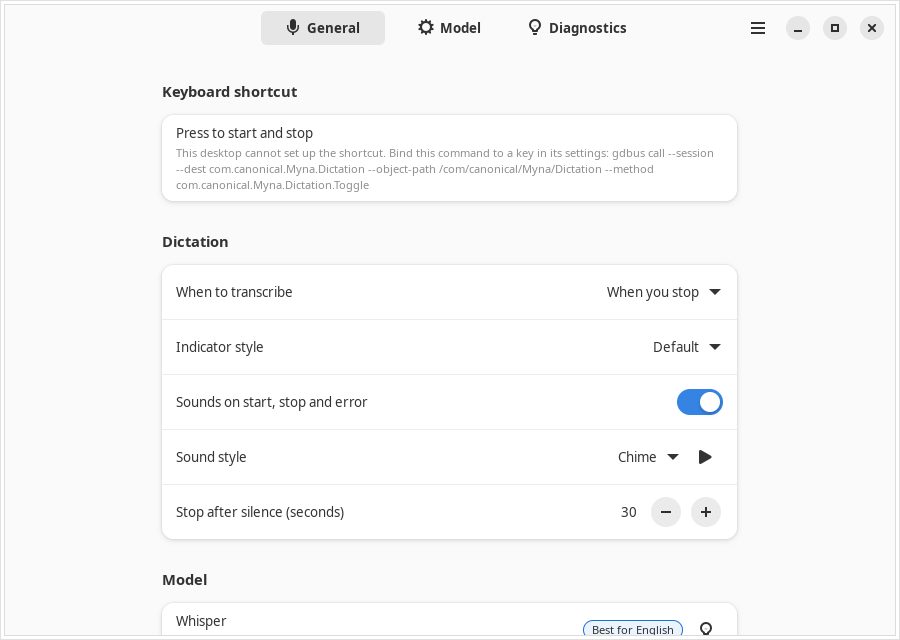
Myna is a dictation tool, not a voice assistant. You press a keyboard shortcut, speak, and the transcript is typed into the focused application through IBus, the Linux input system. It does not run commands by voice. Canonical says nothing leaves the machine: audio is processed in memory, is not saved, and the speech models run locally in confined snaps.
The source is on GitHub at github.com/canonical/myna. It is designed for the default GNOME desktop on Wayland. A small helper for Xfce is also included.
What gets installed
Myna has three parts, which matters if you want to know what is on your system:
- myna-config is a normal .deb package from the PPA (1.8 MB). It is the settings and set-up app, plus a GNOME Shell extension that shows a dictation indicator. It has no install or remove scripts. It depends on snapd and pkexec because it installs and configures the snaps for you, as root, after a password prompt through polkit.
- myna is a snap (8 MB). It is the client: it listens to the microphone and types the text.
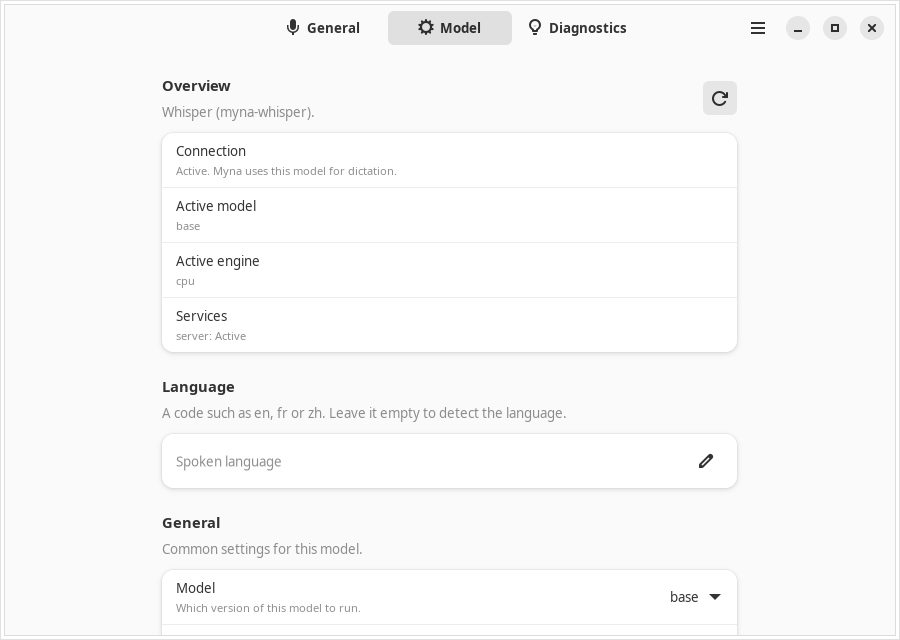
- A speech-model snap. You pick one: myna-whisper (Whisper, 116 MB plus a 140 MB "base" model), myna-parakeet (NVIDIA Parakeet, 46 MB, 25 languages) or myna-funasr (SenseVoice, 83 MB, Chinese, English, Cantonese, Japanese and Korean). Whisper also offers tiny, small, large-v3 and large-v3-turbo models, and an NVIDIA GPU option.
The microphone is only given to the client snap. The model snaps have no microphone access: the client sends them the audio over a local Unix socket.
Install
The set-up app is meant to do this for you. I did it by hand to see each step:
sudo add-apt-repository ppa:canonical-desktop-team/myna
sudo apt install myna-config

# the snaps are only in the edge channel right now
sudo snap set system experimental.user-daemons=true
sudo snap install myna --edge
sudo snap install myna-whisper --edge
Without the user-daemons setting, the myna snap refused to install and printed "experimental feature disabled". The settings app checks for it during onboarding ("UserDaemons found"). I set it myself, so I do not know whether the app turns it on for you.
The first snap install also hit a store timeout (HTTP 408) while fetching a shared GNOME runtime called gnome-46-2404. The myna snap still installed, but that component was left unconnected. That is probably my VM's network and did not affect the dictation test below, but it is the kind of thing to watch on a first install.
Dictation test
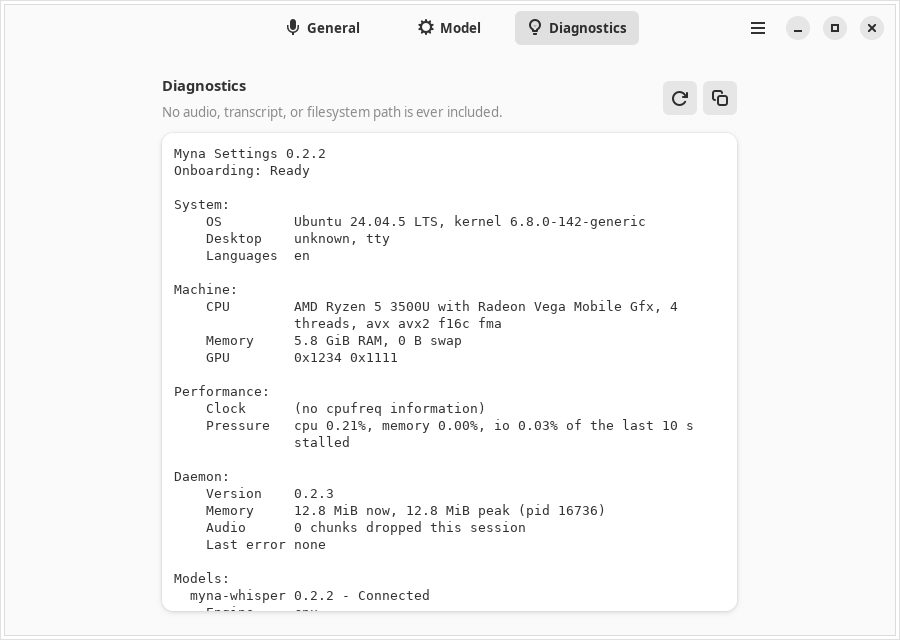
Myna's source includes a test tool, myna-testbed, that sends a WAV file to the model snap the same way the client would. I made two spoken sentences with espeak-ng, a robotic text-to-speech voice, and ran them through Whisper "base" on the CPU of the 4-core VM:
espeak-ng -v en-us -s 150 -w s1.wav "Open the terminal and run sudo apt update, then install the package called htop."
espeak-ng -v en-us -s 150 -w s2.wav "The quick brown fox jumps over the lazy dog near the river bank."

/snap/myna/current/bin/myna-testbed \
  --socket /var/snap/myna-whisper/common/share/provider/myna.sock \
  --clip s1.wav --clip s2.wav --language en
✓ Open the terminal and run sudo app top date, and install the package call page top.
✓ The quick brown fox dumps over the lazy dog near the riverbank.
Result: both clips were transcribed in about 4 seconds in total, including loading the model. The ordinary sentence came out nearly right ("jumps" became "dumps"). The command-line sentence was wrong where it mattered: "apt update" became "app top date" and "htop" became "page top". That is a very small test with a synthetic voice, so it says little about a real person speaking. It does suggest you should read what Myna types before you press Enter in a terminal. Larger models should do better, and I did not try them.
Privacy and network traffic
- While dictating, I watched the VM's network with tcpdump: no packets from Myna.
- No TCP ports were listening. The services talk over Unix sockets only: /run/user/1000/snap.myna/myna-desktop.sock and /var/snap/myna-whisper/common/share/provider/myna.sock.
- The model snap's permissions include network-bind but not outbound network, and it has no audio permission. The client snap has pipewire (the microphone) and home (your home folder), which are what you would expect for dictation, plus the display and desktop permissions.
- The internet is used to install packages and snaps and to download models. After that it works offline, which is Canonical's claim. I confirmed the dictation part of it only for the short test above.
Check the interfaces yourself with snap connections myna and snap connections myna-whisper.
What I did not test
- The real thing on a GNOME desktop: my machine was a server image with no GNOME session. So I did not test the keyboard shortcut, typing into a real app through IBus, the GNOME Shell indicator, or Wayland.
- A real microphone or a real human voice.
- Other models: only Whisper "base". Not Parakeet, FunASR or the larger Whisper models, and no NVIDIA GPU.
- Other languages.
If you try it on a desktop, I would like to hear how it goes. Use the contact page.
Remove
sudo snap remove myna myna-whisper
sudo apt remove myna-config
sudo add-apt-repository -r ppa:canonical-desktop-team/myna
sudo snap set system experimental.user-daemons=false   # if you do not use other user daemon snaps
Verdict
The design is sound: local speech models, a client that holds the microphone, model snaps that cannot reach it, and no open network ports. In my short test the model snaps ran and produced text with no network traffic. It is still a preview. The snaps are only on edge, the install needed a manual setting, and the part that people will actually use (hotkey, typing into apps) is the part I could not test here. If you want to dictate emails or notes on Ubuntu without sending your voice to a cloud service, it is worth trying on a spare machine or a test user account. I would not rely on it for terminal commands yet.