🎨 ArtCraft: 12 Open-Source Desktop Apps, Tested
Photo, video, PDF, office and CAD apps for Linux, installed and run on Ubuntu 24.04
sudo apt install ./photocraft-0.7.0-linux-x86_64.deb

ArtCraft is a set of 13 desktop apps from the ArtCraft team (storyteller.ai), all written in Rust.
They are free and open source, and aim to be familiar replacements for Photoshop, Illustrator,
Premiere, Lightroom, Acrobat, After Effects, InDesign, Word, Excel, PowerPoint and AutoCAD.
Install
Download each app's .deb file from getartcraft.com/apps, then install them. apt installs the libraries they need (graphics, keyboard and sound).
cd ~/Downloads
sha256sum *craft-*.deb          # compare with the checksums below
sudo apt install ./*craft-*.deb
photocraft &
The site publishes no checksums or signatures, so these are the SHA-256 values of the files I tested (first 16 characters). They only prove you got the same files as I did, not that the files are trustworthy.
c13f621394e8fe4d…  cadcraft-0.5.0-linux-x86_64.deb
83900da8713efdcd…  deckcraft-0.5.0-linux-x86_64.deb
fcd82ec80a0665b1…  designcraft-0.6.0-linux-x86_64.deb
633cc56080c63bec…  effectcraft-0.8.0-linux-x86_64.deb
3f170bec41d7efd5…  filmcraft-0.6.0-linux-x86_64.deb
c77321307ab3f216…  gridcraft-0.5.0-linux-x86_64.deb
04aa36f4d9bc4e57…  lightcraft-0.6.0-linux-x86_64.deb
2d29427f608eccc7…  pdfcraft-0.6.0-linux-x86_64.deb
7dad0049352595cd…  photocraft-0.7.0-linux-x86_64.deb
6acc1a2e2a5ee007…  soundcraft-0.5.0-linux-x86_64.deb
226fccdbecadf686…  vectorcraft-0.9.0-linux-x86_64.deb
fd343cf3b846097e…  wordcraft-0.5.0-linux-x86_64.deb
What I checked in the packages: they are ordinary Debian packages that put programs in /usr/bin, with Apache-2.0 and MIT licence files included. Their only install script refreshes the desktop, icon and file-type caches. I did not audit the programs themselves. Source code is at github.com/storytold.
The apps
For each one I ran real commands in a clean virtual machine and then opened the result in the app. The command lines are shown so you can repeat them. Screenshots are the apps' real windows.
PhotoCraft 0.7.0Early alpha
Layers, masks, adjustment layers and brushes. It opened a Photoshop (.psd) file made from a PNG, with the layer and text intact.
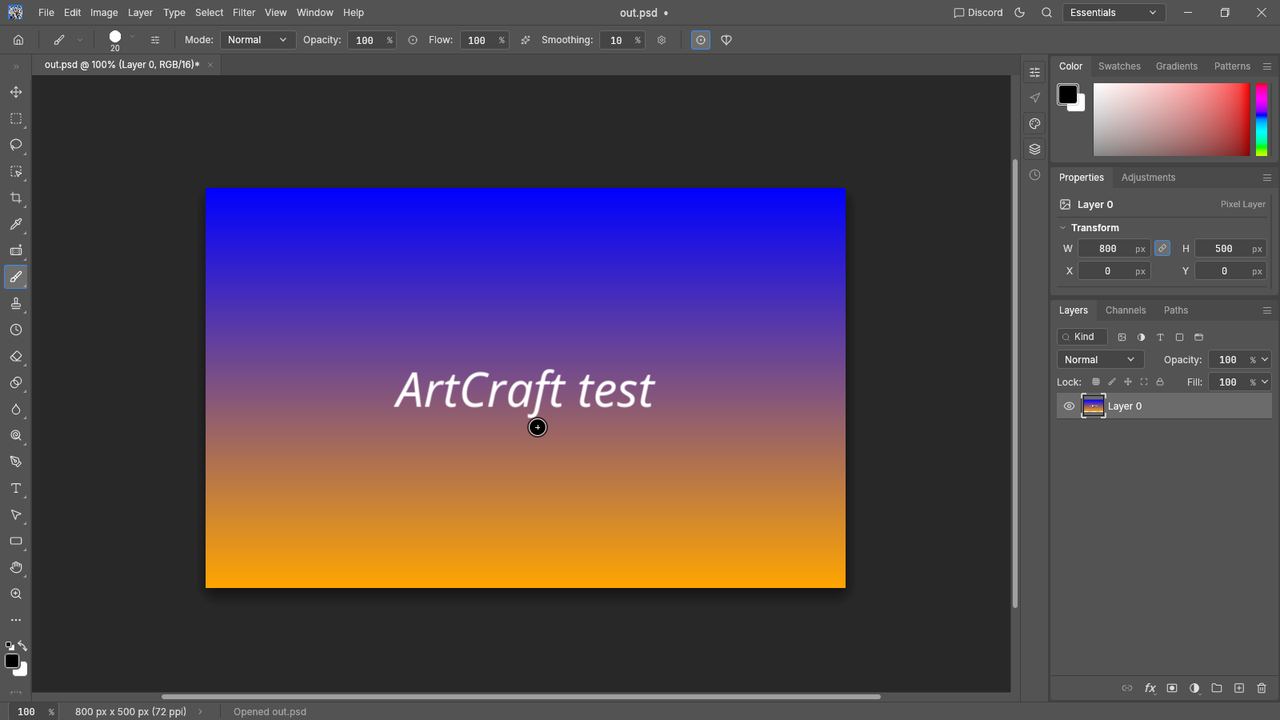
photocraft-cli convert in.png out.psd
photocraft-cli convert in.png out.webp --quality 80
photocraft photocraft-test.psd
Result: The PNG converted to a 4.8 MB .psd and a 6 KB lossy .webp. The editor opened the .psd with the layer and its text. On first start the VM, which has no graphics card, showed a "Switched to CPU rendering" notice; on real hardware you should not see it.
VectorCraft 0.9.0In development
Pen, shapes, artboards and type. It opened an SVG that its own command-line tool had drawn.
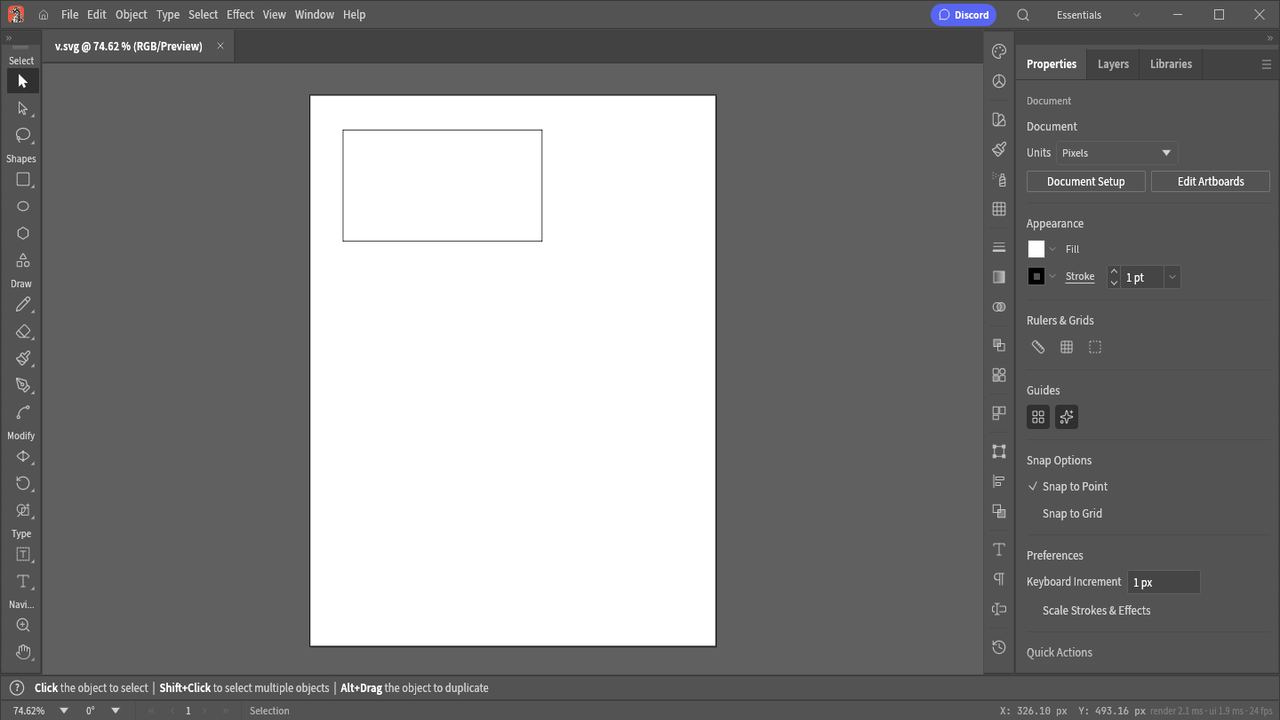
vectorcraft-cli run --cmd shape.rectangle --params '{"x":50,"y":50,"width":300,"height":160}' --export v.svg
vectorcraft v.svg
Result: The command wrote a 356-byte SVG with one rectangle, and the editor showed it on the artboard.
FilmCraft 0.6.0In development
Source and program monitors, a multi-track timeline, colour tools and an export queue. Opens with a built-in demo project.
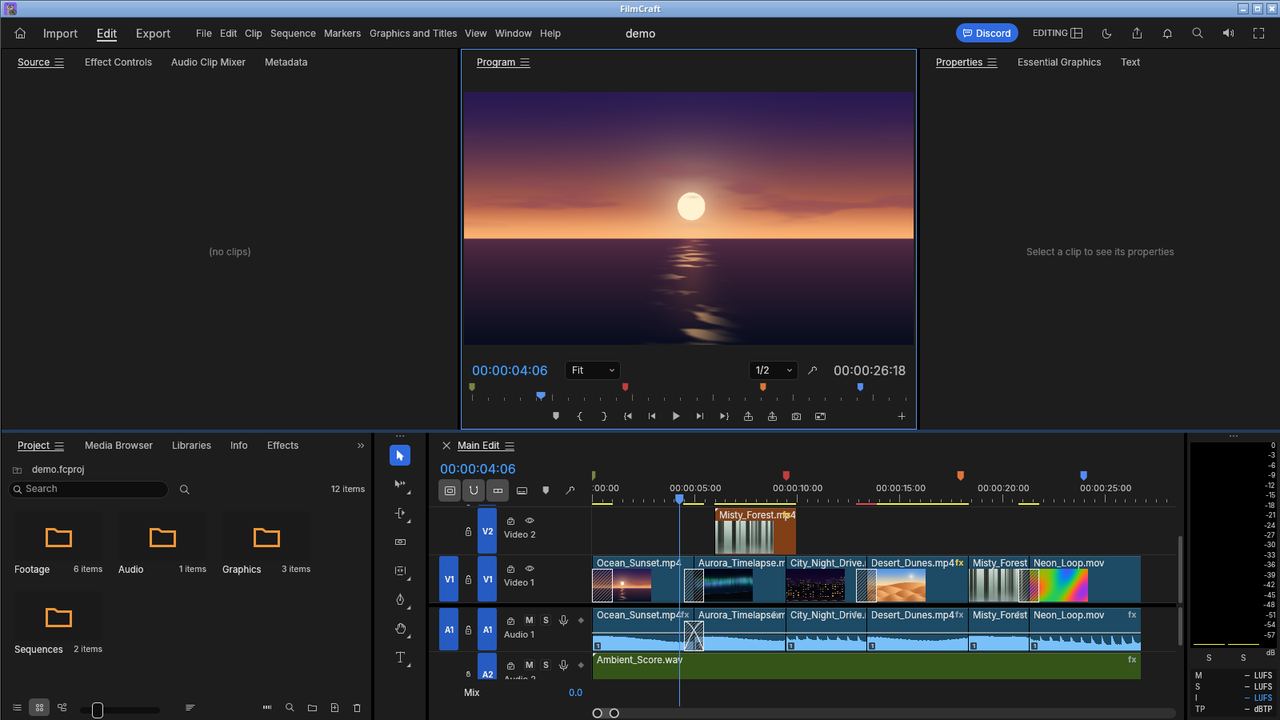
filmcraft-cli --demo render --seconds 4 --out f.png
filmcraft-cli --demo export out.mp4 --range entire --scale 0.25
filmcraft-cli probe clip.mp4
Result: A 1920x1080 frame rendered in 128 ms. The 26.8-second demo sequence exported to H.264 at quarter size in 13.9 seconds, with no GPU and 4 CPU cores. The probe command read the audio and video details of a test MP4.
LightCraft 0.6.0In development
Import, rate and keyword photos, then develop them with sliders for exposure, contrast, curves and more.
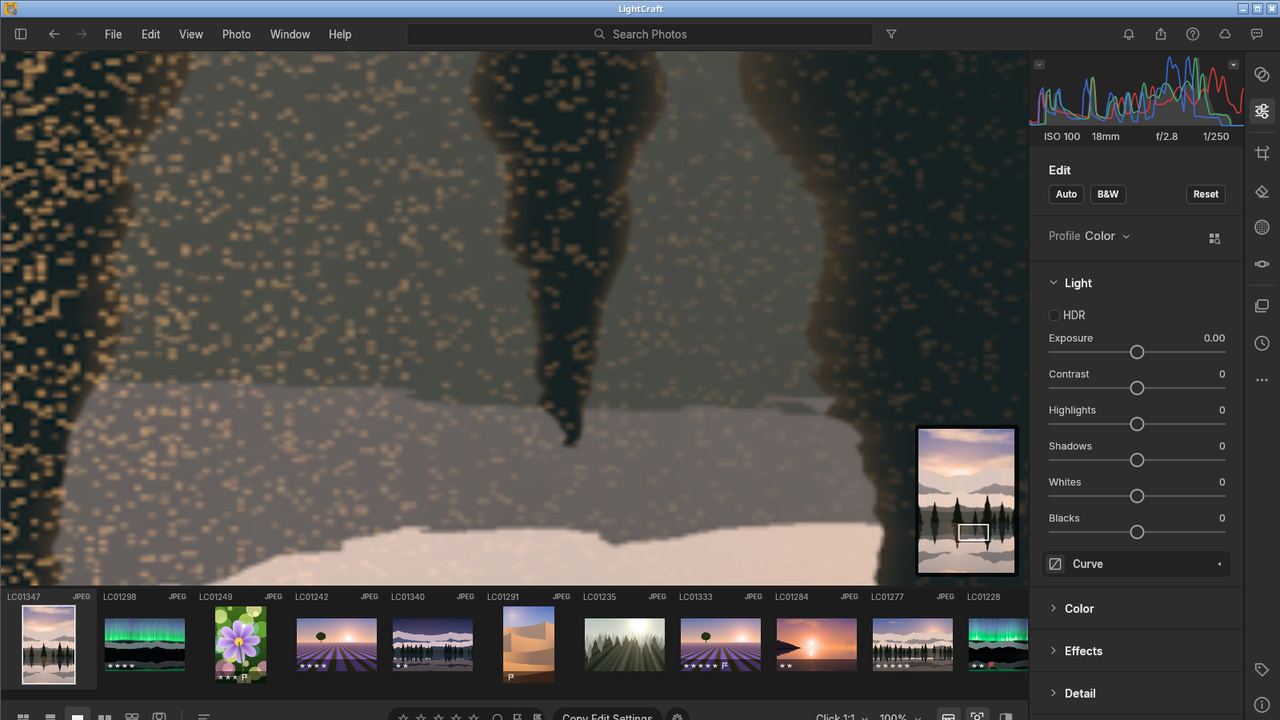
lightcraft-cli run --import photo.jpg develop.set control=light.exposure value=0.7 develop.auto app.export path=/home/lab/t/lc.jpg longEdge=800
Result: Import, an exposure change, Auto and export all succeeded and wrote an 800x533 JPEG (138 KB). The screenshot shows the built-in demo library. Its photo preview looks speckled here, which I put down to the software rendering in the VM and did not check further.
PdfCraft 0.6.0Early alpha
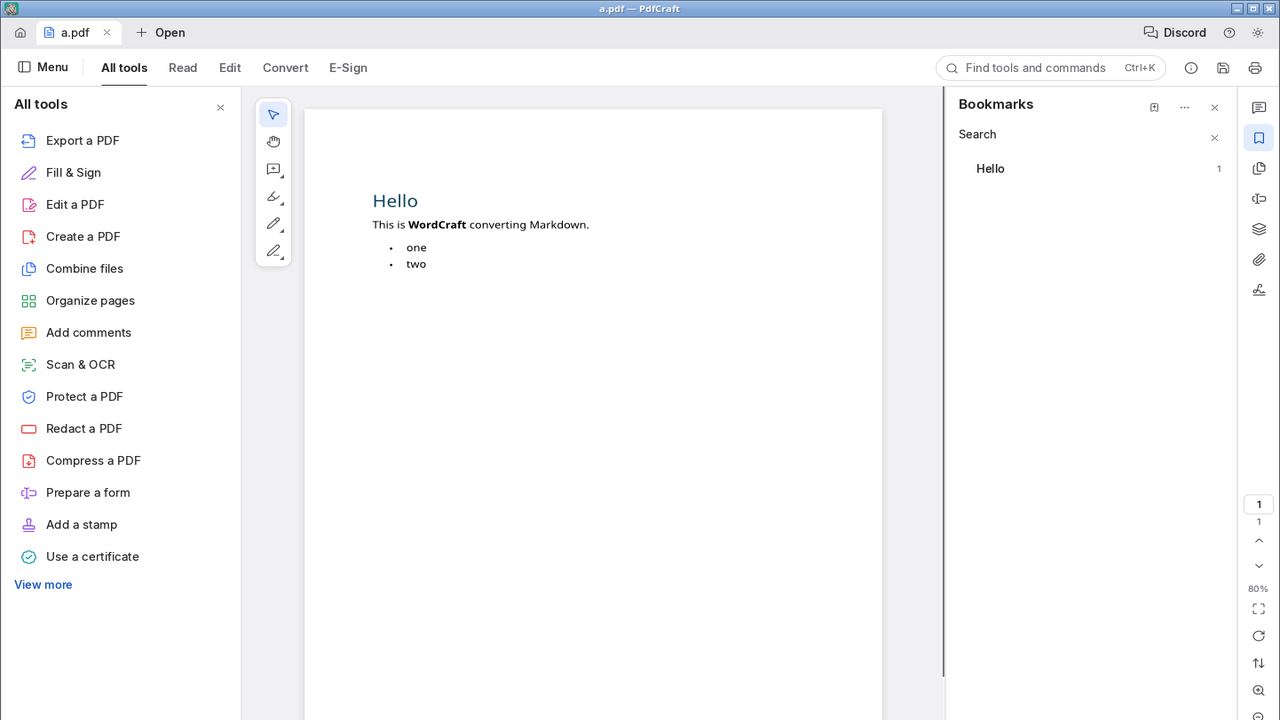
Read, annotate, fill and sign forms, organise, combine, split, redact and protect PDFs. Its start page says it works offline, with no telemetry and no account.
pdfcraft-cli info a.pdf
pdfcraft-cli text a.pdf
pdfcraft-cli combine a.pdf a.pdf --out two.pdf
pdfcraft-cli render a.pdf --page 1 --out p.png
pdfcraft a.pdf
Result: The PDF was made by WordCraft. Info, text extraction, combine (two pages out) and rendering a page to PNG (816x1056, 8 ms) all worked, and the window showed the page and its bookmark.
EffectCraft 0.8.0In development
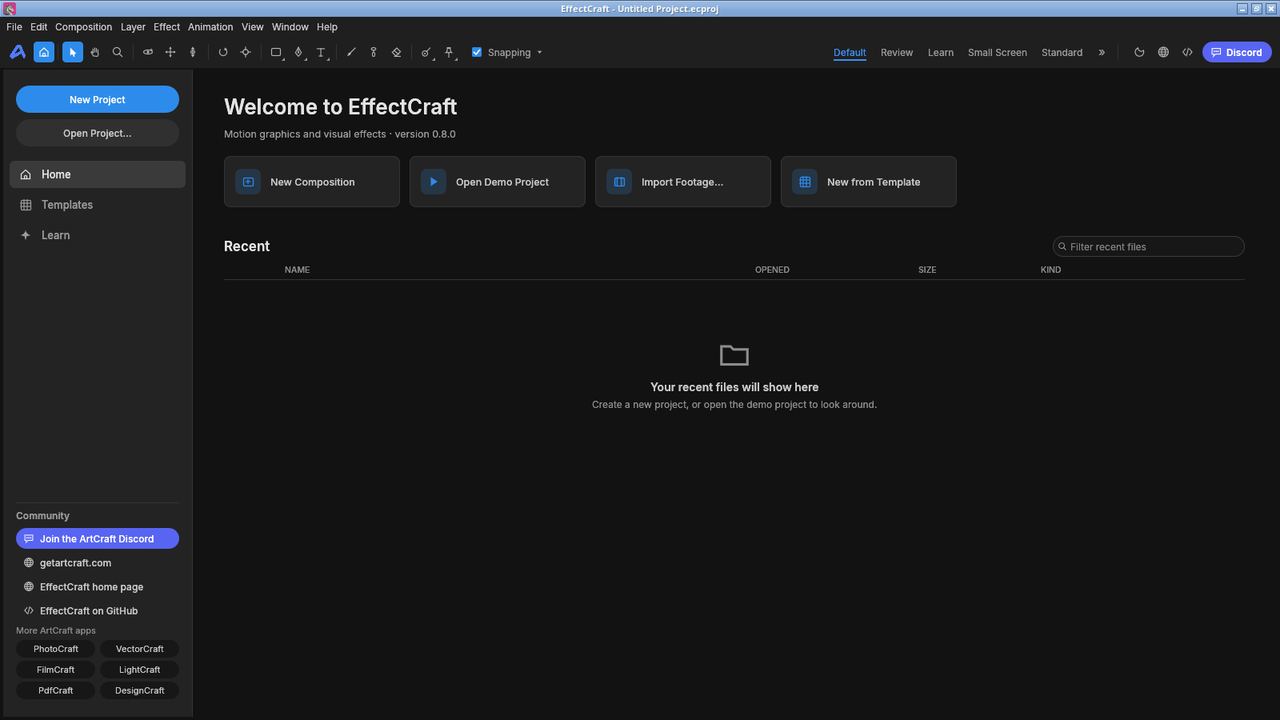
Compositions with keyframes, masks, text animators and 306 built-in effects. The tool lists 669 commands.
effectcraft-cli info
effectcraft-cli render-frame --comp "EffectCraft Intro" --time 2 --max-side 960 --out e.png
effectcraft-cli render --comp "EffectCraft Intro" --out e.mp4 --resolution quarter --end 2
Result: A frame of the sample comp rendered in 72 ms, and 2 seconds of it (60 frames, quarter resolution) rendered to H.264 in 0.46 seconds. The screenshot shows the app's start screen.
DesignCraft 0.6.0In development
Spreads and parent pages, threaded text frames, styles and swatches.
designcraft-cli run --sample --export dsg.pdf
designcraft-cli run --sample --page 1 --export dsg.png
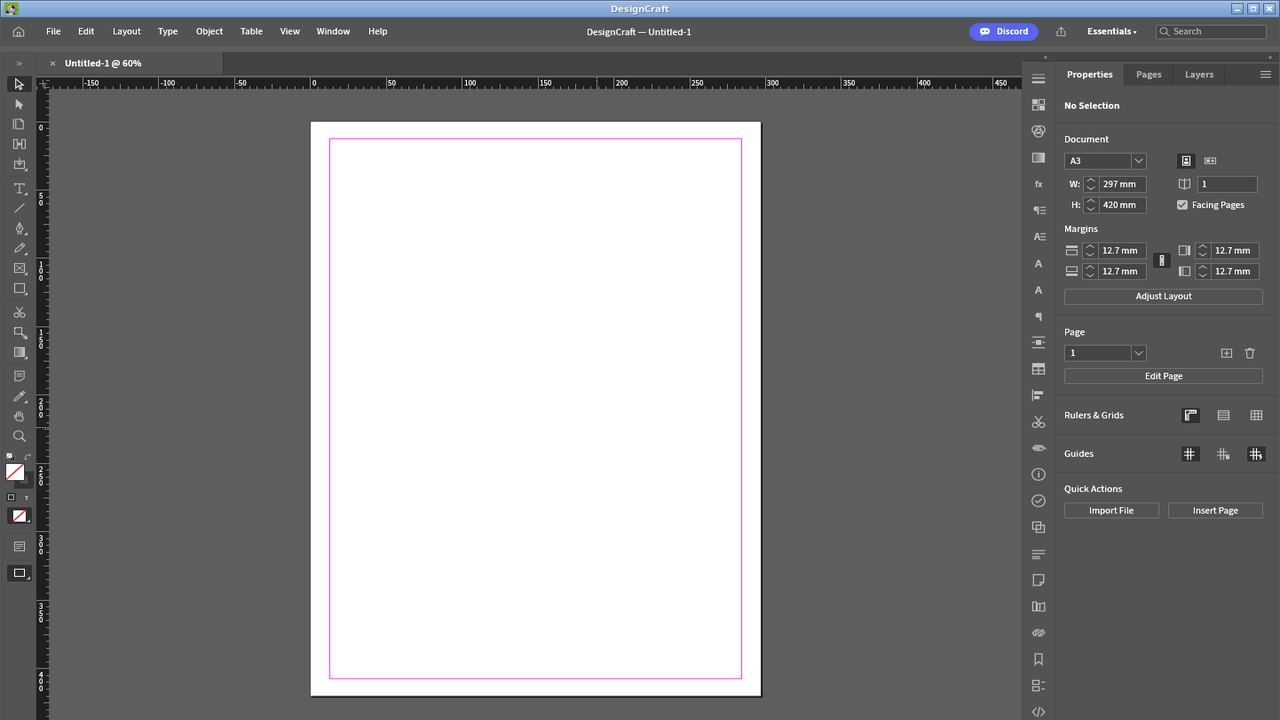
Result: The sample document exported to a 4-page, 552 KB PDF and a page-1 PNG (630x810). The screenshot shows a blank page; I did not try editing in the window.
WordCraft 0.5.0In development
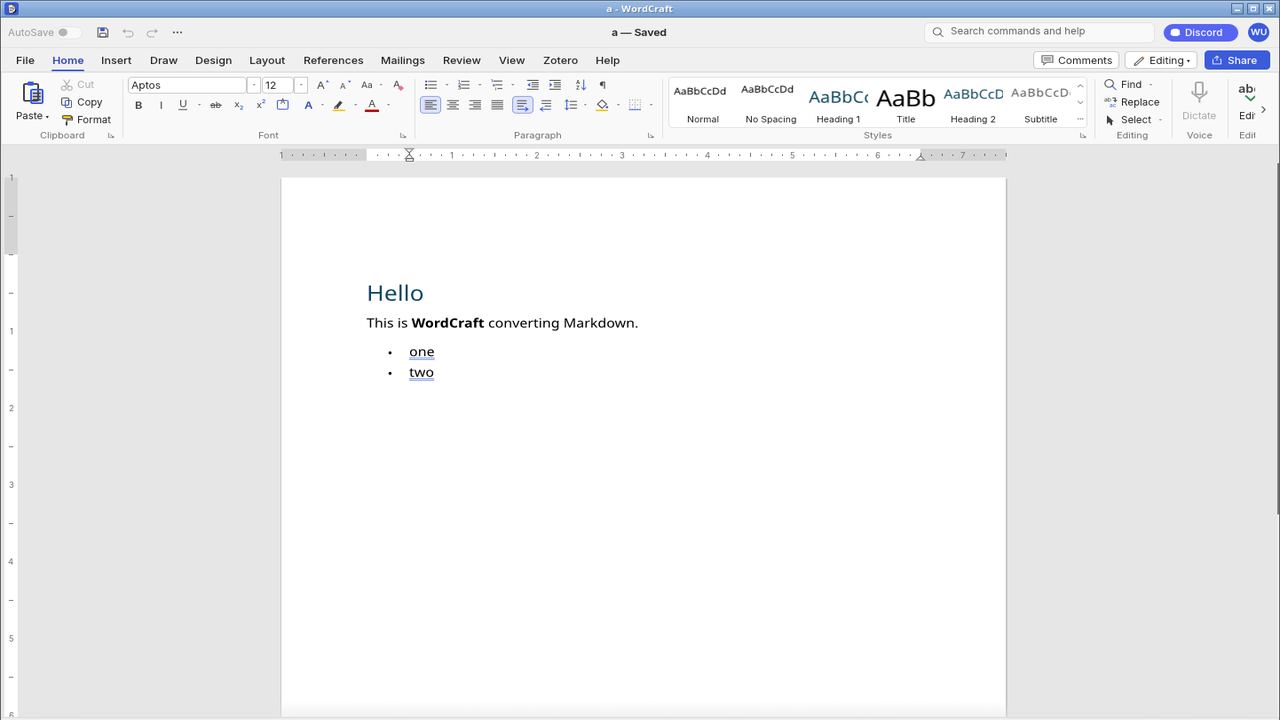
A ribbon, styles, tables, track changes, references and mail merge. Reads and writes .docx.
wordcraft-cli convert a.md a.docx
wordcraft-cli convert a.docx a.pdf
wordcraft-cli info a.docx
wordcraft-cli render a.docx a.png
wordcraft a.docx
Result: A small Markdown file became a .docx (7 KB) and a PDF (20 KB). The info command reported 1 page and 8 words, and the editor opened the .docx with its heading and bullet list.
SoundCraft 0.5.0In development
Multitrack audio and MIDI with edit and mix windows, EQ and dynamics.
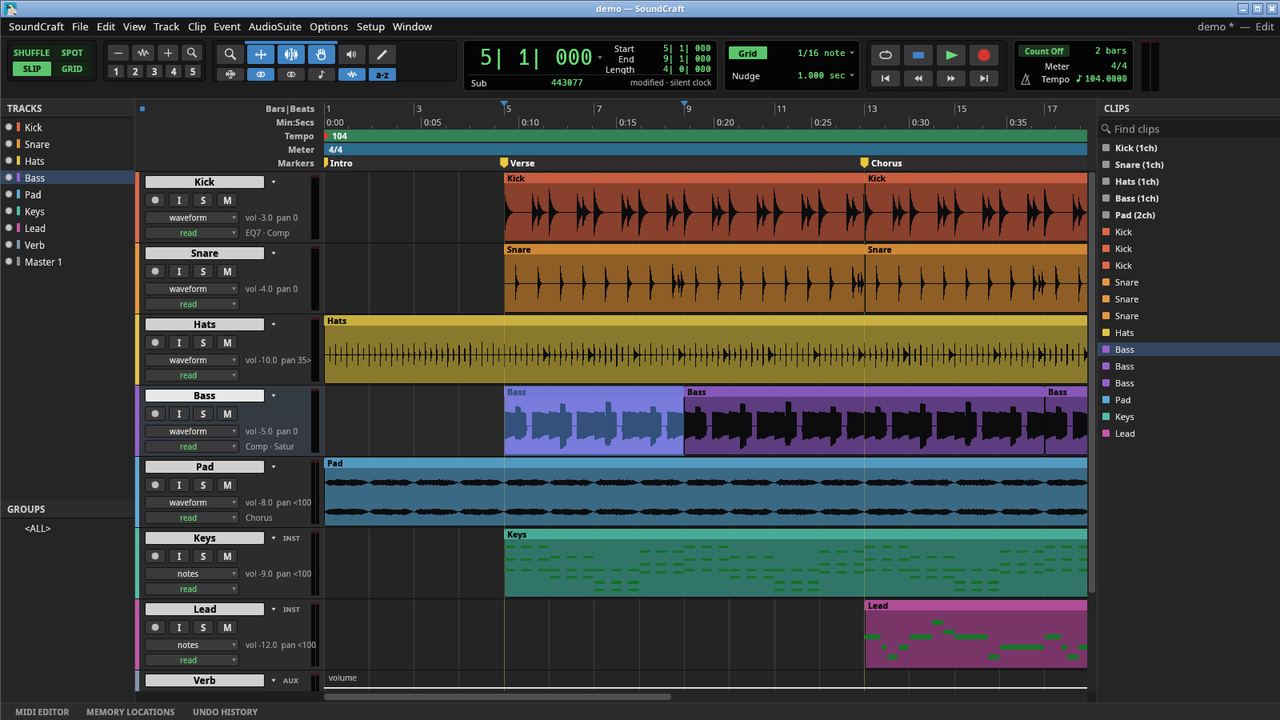
soundcraft-cli run --demo --save demo.scraft --bounce demo.wav
soundcraft-cli info demo.wav
soundcraft-cli convert demo.wav demo24.wav --bit-depth 24 --normalize
soundcraft demo.scraft
Result: The built-in demo session bounced to a 55.9-second stereo 48 kHz WAV at about -19.4 LUFS. The editor opened the saved session with its tracks and clips. I did not test recording, because the VM has no audio device.
DeckCraft 0.5.0In development
Themes, layouts, shapes, charts and transitions. Reads and writes .pptx.
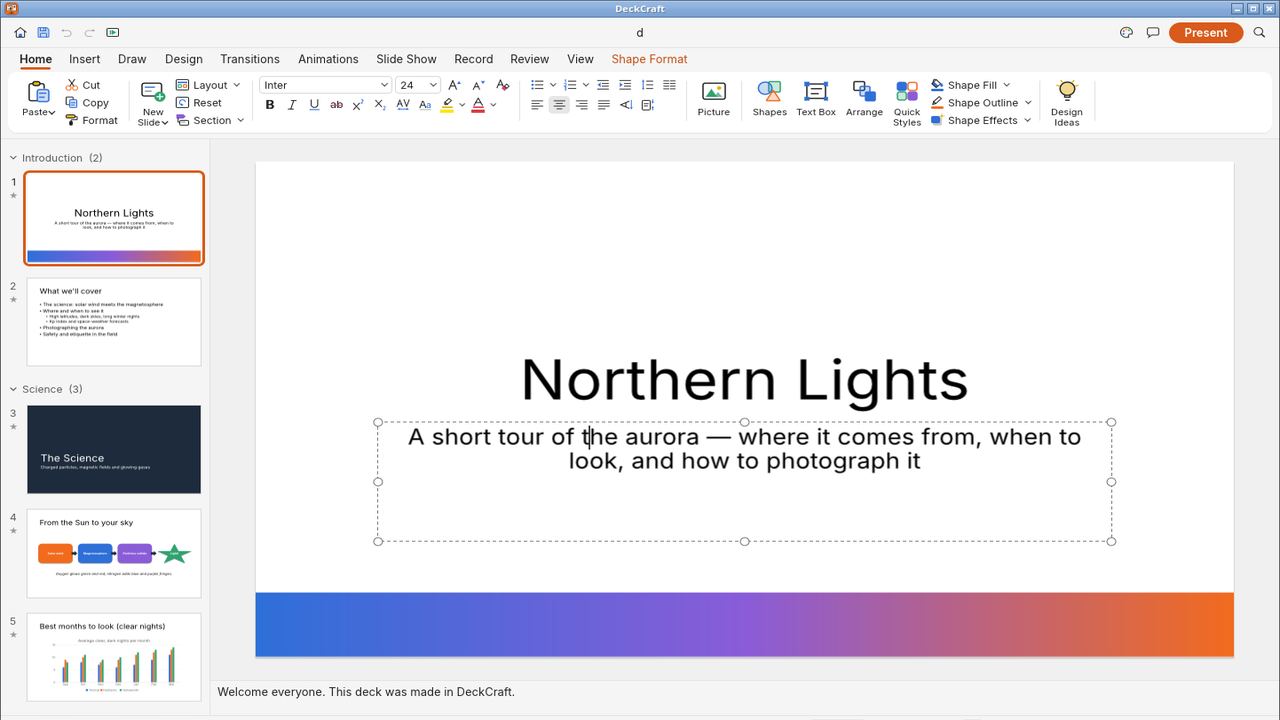
deckcraft-cli run --sample --save d.pptx
deckcraft-cli convert d.pptx d.pdf
deckcraft-cli render --sample --slide 1 d1.png
deckcraft d.pptx
Result: The sample deck saved as a 37 KB .pptx, converted to a 1 MB PDF and rendered slide 1 at 1920x1080. The editor opened the .pptx with all its slides.
CADCraft 0.5.0In development
Drafting with a command line, snaps, layers, dimensions and hatches. Reads and writes DXF and DWG.
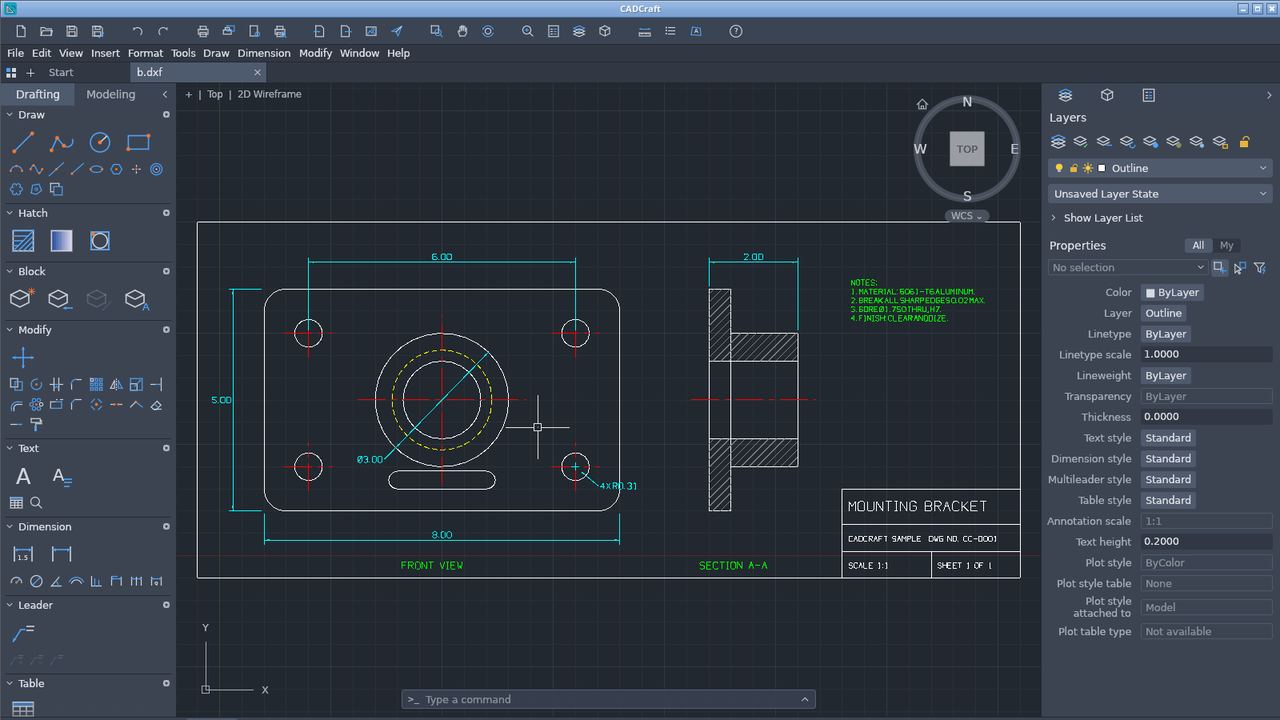
cadcraft-cli sample bracket b.dxf
cadcraft-cli convert b.dxf b.png
cadcraft-cli convert b.dxf b.pdf
printf 'LINE\n0,0\n100,0\n100,60\n0,0\n\n' > tri.scr
cadcraft-cli run --metric --script-file tri.scr --save mine.dxf
cadcraft b.dxf
Result: The sample bracket drawing converted to PNG, PDF and SVG, and opened in the editor with its dimensions and title block. A script that draws three lines saved correctly. My first attempt put all the points on one line and got "Point or option keyword required", because the script needs one entry per line, as in the command line.
GridCraft 0.5.0In development
Reads and writes .xlsx, CSV and TSV, with hundreds of worksheet functions.
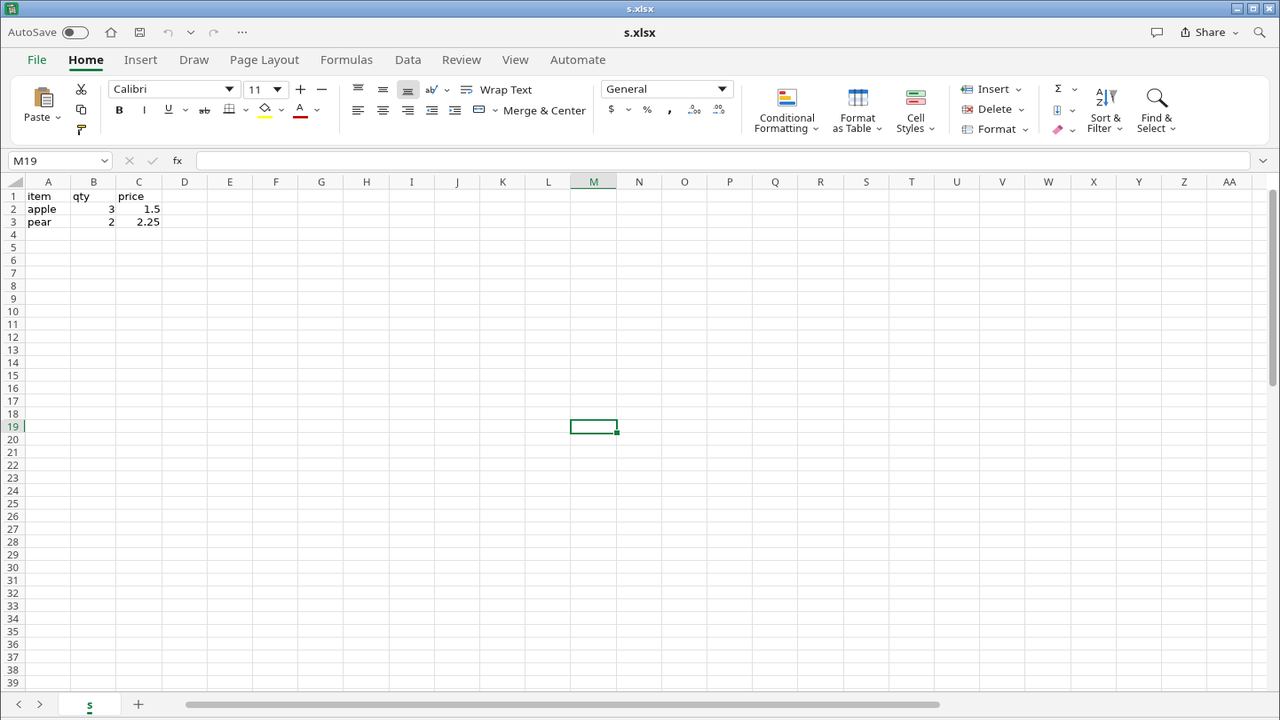
gridcraft-cli convert s.csv s.xlsx
gridcraft-cli cat s.xlsx
gridcraft-cli eval '=SUM(B2:B3)*2' --in s.xlsx
gridcraft s.xlsx
Result: A 3-row CSV converted to .xlsx, printed back correctly, and the formula =SUM(B2:B3)*2 returned 10. The editor opened the workbook.
Every app has a command-line tool
Each package also installs a -cli program (for example photocraft-cli and gridcraft-cli) that does the work without a window. That makes the apps scriptable. You can convert a folder of files, render a video from a script, or export a PDF on a server with no display. Run any of them with --help.
Many of them also include an MCP server (mcp subcommand) so an AI assistant can drive the app. That is optional and only starts if you run it.
Privacy and network traffic
I started all 12 apps at once and watched the virtual machine's network for about 50 seconds with tcpdump. The apps sent no traffic. The only packets seen were the machine's own network housekeeping. That only covers idle apps for under a minute. It does not show what happens when you sign in to anything, check for updates or use an online feature. The PdfCraft start page states "no telemetry, no account", which I did not test beyond this.
The download launcher
The site also offers an "ArtCraft Launcher" (v0.3.2) that downloads the apps for you. On my workstation it started and did nothing, with nothing in the system logs. I have not tested it further, so use the individual .deb files, which all worked.
Remove
sudo apt remove photocraft vectorcraft filmcraft lightcraft pdfcraft effectcraft \
  designcraft wordcraft soundcraft deckcraft cadcraft gridcraft
rm -rf ~/.config/photocraft ~/.config/wordcraft   # settings, one folder per app
Verdict
All 12 installed cleanly, started, opened real files and finished every headless task I gave them, with no crashes and no network traffic. They are early versions, so expect missing features and rough edges. The best way to judge them is on your own files: start with PdfCraft, GridCraft or WordCraft, which open standard formats you already have. FigCraft, the thirteenth app, was not tested.
Because "Suite" was already taken.