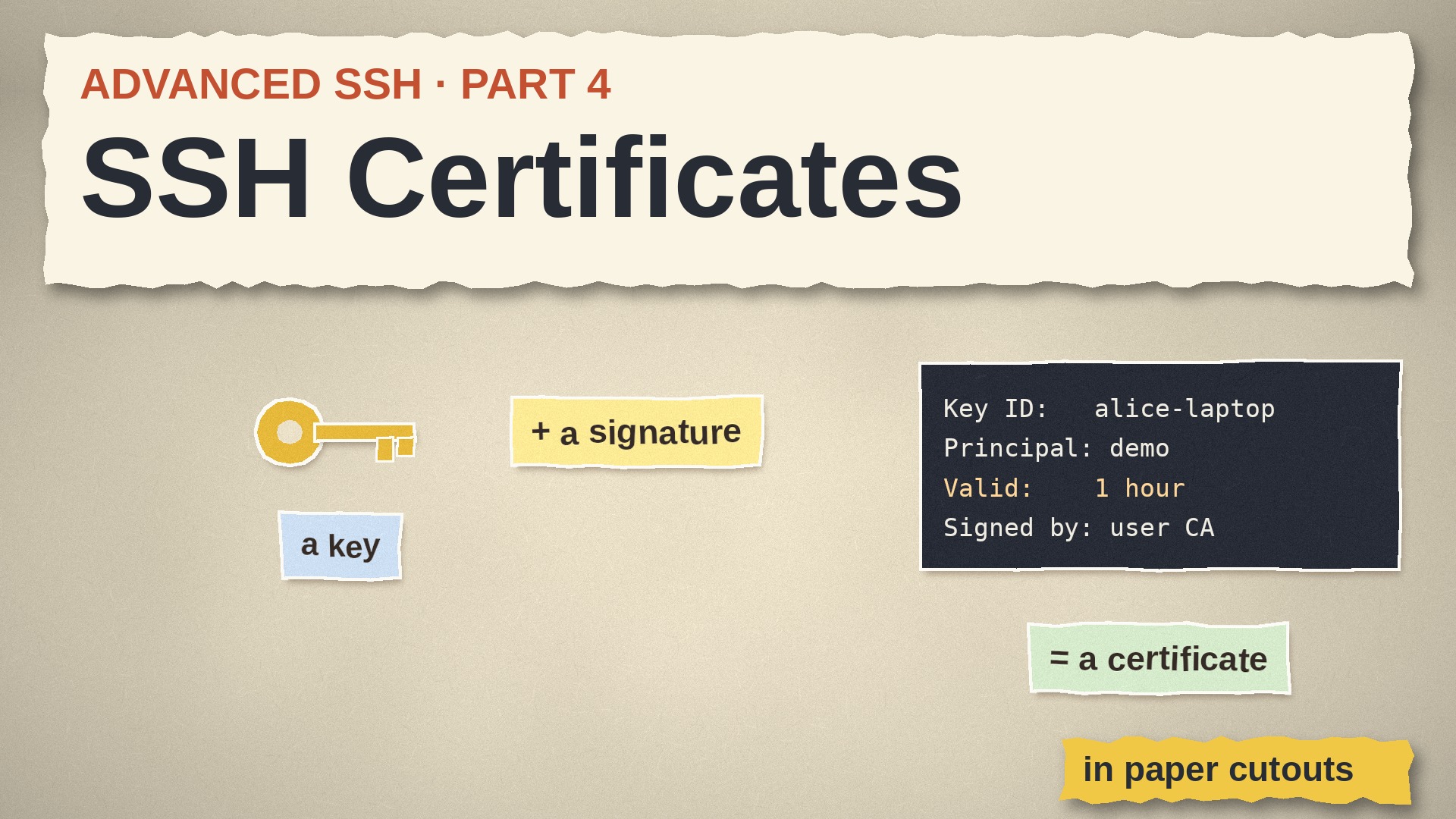
Advanced SSH, part 4: stop copying public keys onto servers. Sign them once, with an expiry date, and let the servers trust the signer.
▶Prefer to watch? This short video runs this page's main commands in a real three-machine lab, with on-screen captions and a synthetic voiceover (an AI voice trained on the author's own recording). Click to play, or watch it on YouTube.
A public key in authorized_keys never expires, never says who it belongs to, and has to be copied to every server. A certificate is the same key with a signature on it, and the servers only need to trust the signer.

ssh-keygen -s user_ca -I alice-laptop -n demo -V +1h key.pub     sign a user key: ID, principal, validity
TrustedUserCAKeys /etc/ssh/user_ca.pub                        (sshd_config) servers accept keys signed by this CA
AuthorizedPrincipalsFile /etc/ssh/principals/%u               which principals may log in as which user
ssh-keygen -s host_ca -I bastion -h -n bastion key.pub        sign a host key
@cert-authority bastion ssh-ed25519 AAAA...                   (known_hosts) trust hosts signed by this CA
ssh-keygen -k -f revoked.krl -s ca.pub spec                   revoke by serial number

This is part 4 of a series on the advanced features of the ssh command: part 1 covered tunnels and jump hosts, part 2 moving files, part 3 tunnels that stay up. Plain key-based login is covered in the SSH guides on this site; this page starts where authorized_keys stops scaling.

Every command below was run for real in the same lab of three Docker containers as the earlier parts (Ubuntu 24.04, OpenSSH 9.6p1). The certificate authority keys were created on the client container to keep the lab small; a real CA key belongs on a separate, protected machine, and the "What was not run" section says what that changes.
The problem with authorized_keys
Before any certificate, this is the starting point in the lab:

$ ssh bastion 'hostname; wc -l < ~/.ssh/authorized_keys'
bastion
1

One server, one line in authorized_keys. Add a second laptop and a second server, and you edit two files; remove someone and you have to remember every server they were on. Nothing in that line says whose key it is or for how long it should work.

Host keys have the mirror problem. The first time you connect, ssh asks whether to trust a fingerprint nobody can check, and everyone answers yes.

Certificates solve both with one idea: a certificate authority (CA) signs a key, and servers trust the CA instead of a list of keys.
Make a CA and sign a user key
A CA is just an ordinary key pair kept somewhere safe. Here, with no passphrase because this is a lab:

$ ssh-keygen -t ed25519 -N '' -C user-ca -f user_ca
$ ssh-keygen -lf user_ca.pub
256 SHA256:F5prohgvIk5BoAEEKWBjtojMylgN3ESSwGRlZEJc6SI user-ca (ED25519)

The user makes their own key pair as usual, and only the public half goes to the CA:

$ ssh-keygen -t ed25519 -N '' -C alice@laptop -f alice

Sign it. -I is a key ID (it ends up in the server log), -n the principal (the name the certificate is good for), -V the validity, -z a serial number:

$ ssh-keygen -s user_ca -I alice-laptop -n demo -V +1h -z 1 alice.pub
Signed user key alice-cert.pub: id "alice-laptop" serial 1 for demo valid from 2026-11-18T11:40:00 to 2026-11-18T12:40:59

The result is alice-cert.pub, next to the key. ssh-keygen -L reads it:

$ ssh-keygen -L -f alice-cert.pub
alice-cert.pub:
        Type: ssh-ed25519-cert-v01@openssh.com user certificate
        Public key: ED25519-CERT SHA256:jc6rCMPQLxAaJJeVS+hzkcWZkHUpQRr8supxJ8vTrhA
        Signing CA: ED25519 SHA256:F5prohgvIk5BoAEEKWBjtojMylgN3ESSwGRlZEJc6SI (using ssh-ed25519)
        Key ID: "alice-laptop"
        Serial: 1
        Valid: from 2026-11-18T11:40:00 to 2026-11-18T12:40:59
        Principals:
                demo
        Critical Options: (none)
        Extensions:
                permit-X11-forwarding
                permit-agent-forwarding
                permit-port-forwarding
                permit-pty
                permit-user-rc

Everything the server will check is in there: who signed it, the ID, the serial number, the validity window, the principals, and the extensions (what the session may do).
Teach the server to trust the CA
On the bastion, one line in sshd_config.d points at the CA's public key. The authorized_keys file was moved out of the way, so the only thing left to trust is the CA:

TrustedUserCAKeys /etc/ssh/user_ca.pub
authorized_keys.off
known_hosts
known_hosts.old

trustedusercakeys /etc/ssh/user_ca.pub

First, the old key, with no certificate, is refused:

$ ssh -o PreferredAuthentications=publickey bastion true; echo "exit status $?"
demo@bastion: Permission denied (publickey).
exit status 255

Now the signed key. ssh finds alice-cert.pub next to alice automatically when the file is called alice-cert.pub; -i names the key:

$ ssh -i ~/ca/alice -o IdentitiesOnly=yes bastion 'id; hostname'; echo "exit status $?"
uid=1001(demo) gid=1001(demo) groups=1001(demo)
bastion
exit status 0

With -v the client offers the key and then the certificate, and the server accepts the certificate:

debug1: Offering public key: /home/demo/ca/alice ED25519 SHA256:jc6rCMPQLxAaJJeVS+hzkcWZkHUpQRr8supxJ8vTrhA explicit
debug1: Offering public key: /home/demo/ca/alice ED25519-CERT SHA256:jc6rCMPQLxAaJJeVS+hzkcWZkHUpQRr8supxJ8vTrhA explicit
debug1: Server accepts key: /home/demo/ca/alice ED25519-CERT SHA256:jc6rCMPQLxAaJJeVS+hzkcWZkHUpQRr8supxJ8vTrhA explicit
Authenticated to bastion ([172.27.0.2]:22) using "publickey".

And the server log says who it was and who vouched for them, which an authorized_keys line cannot:

Accepted publickey for demo from 172.27.0.3 port 42450 ssh2: ED25519-CERT SHA256:jc6rCMPQLxAaJJeVS+hzkcWZkHUpQRr8supxJ8vTrhA ID alice-laptop (serial 1) CA ED25519 SHA256:F5prohgvIk5BoAEEKWBjtojMylgN3ESSwGRlZEJc6SI

No file on the bastion mentions alice. Any other key signed by the same CA is accepted the same way, without touching the server.
Principals: who may log in as whom
By default the certificate's principal must equal the account name. A certificate for the principal deploy does not work for the account demo:

        Serial: 2
        Valid: from 2026-11-18T11:40:00 to 2026-11-18T12:41:06
        Principals:
                deploy
        Critical Options: (none)

$ ssh -i ~/ca/alice -o IdentitiesOnly=yes bastion true; echo "exit status $?"
demo@bastion: Permission denied (publickey).
exit status 255

The client only sees "Permission denied"; the reason is in the server log:

Certificate invalid: name is not a listed principal

In practice you want roles, not account names: a certificate for the principal ops that may log in as demo, as app and as deploy. That is what AuthorizedPrincipalsFile is for. One file per account lists the principals allowed in:

TrustedUserCAKeys /etc/ssh/user_ca.pub
AuthorizedPrincipalsFile /etc/ssh/principals/%u

/etc/ssh/principals/demo:
ops

The deploy certificate is now refused, and a certificate for ops works:

$ ssh ... bastion true      # certificate principal: deploy
demo@bastion: Permission denied (publickey).
exit status 255 (cert principal: deploy)
$ ssh ... bastion whoami      # certificate principal: ops
demo
exit status 0 (cert principal: ops)

The log for the refused one:

Certificate does not contain an authorized principal

Now access is a line in a file per account on the server, and a principal on the certificate.
Expiry: the point of all this
A certificate that lasts an hour or a day removes the need to clean up. A 4-second certificate shows the mechanism:

$ ssh-keygen -s user_ca -I alice-short -n ops -V +4s -z 4 alice.pub
$ ssh -i ~/ca/alice -o IdentitiesOnly=yes bastion 'echo works while valid'
works while valid
exit status 0

Six seconds later:

$ ssh -i ~/ca/alice -o IdentitiesOnly=yes bastion true; echo "exit status $?"
demo@bastion: Permission denied (publickey).
exit status 255
        Valid: from 2026-11-18T11:40:00 to 2026-11-18T11:41:13

Certificate invalid: expired

The server did the check against its own clock. Two consequences: the clocks on the servers must be right (NTP), and the check happens at login. What happens to a session that is already open when its certificate expires was not tested.
Limit what a certificate can do
A certificate can also carry restrictions that the server enforces, without any change to sshd_config. A certificate that can only run uptime and cannot forward ports:

$ ssh-keygen -s user_ca -I alice-fc -n ops -V +1h -z 9 -O force-command=/usr/bin/uptime -O no-port-forwarding alice.pub
$ ssh-keygen -L -f alice-cert.pub | sed -n '/Critical/,$p'
        Critical Options:
                force-command /usr/bin/uptime
        Extensions:
                permit-X11-forwarding
                permit-agent-forwarding
                permit-pty
                permit-user-rc

Whatever command the client asks for, the forced command runs:

$ ssh -i ~/ca/alice -o IdentitiesOnly=yes bastion 'cat /etc/hostname'
 11:41:17 up 9 days, 12:09,  0 user,  load average: 3.90, 2.28, 1.58
exit status 0

(It ran uptime, not cat.) Port forwarding is refused when the tunnel is used:

$ ssh ... -f -N -L 8081:intranet:80 bastion; curl -sS -m4 localhost:8081
curl: (56) Recv failure: Connection reset by peer
curl exit 56
channel 2: open failed: administratively prohibited: open failed

source-address limits where the certificate can be used from. Signed for 10.9.9.0/24, used from the lab client at 172.27.0.3:

$ ssh-keygen -s user_ca -I alice-src -n ops -V +1h -z 6 -O source-address=10.9.9.0/24 alice.pub
$ ssh -i ~/ca/alice -o IdentitiesOnly=yes bastion true; echo "exit status $?"
demo@bastion: Permission denied (publickey).
exit status 255

cert: Authentication tried for demo with valid certificate but not from a permitted source address (172.27.0.3).
Refused by certificate options

A stolen certificate and key used from somewhere else is refused. Note that the key is still the secret: restrictions do not help if someone has the private key and can reach the allowed address.
Revoking a certificate
Expiry is the main defence, but sometimes a certificate must stop working now. Revocation is a list on the server, a KRL (key revocation list), made with ssh-keygen -k. First, serial 7 works:

$ ssh -i ~/ca/alice -o IdentitiesOnly=yes bastion 'echo before revocation'
before revocation
exit status 0

Make a list that revokes serial 7 of this CA, and check the certificate against it:

$ printf 'serial: 7\n' > revoke.spec
$ ssh-keygen -k -f revoked.krl -s user_ca.pub revoke.spec
$ ssh-keygen -Qf revoked.krl alice-cert.pub
Revoking from revoke.spec
-rw-r--r-- 1 demo demo 121 Nov 18 11:41 revoked.krl
alice-cert.pub (alice@laptop): REVOKED

Copy revoked.krl to the server and point sshd at it:

TrustedUserCAKeys /etc/ssh/user_ca.pub
AuthorizedPrincipalsFile /etc/ssh/principals/%u
RevokedKeys /etc/ssh/revoked.krl

$ ssh -i ~/ca/alice -o IdentitiesOnly=yes bastion 'echo should not run'; echo "exit status $?"
demo@bastion: Permission denied (publickey).
exit status 255

Authentication key ED25519-CERT SHA256:jc6rCMPQLxAaJJeVS+hzkcWZkHUpQRr8supxJ8vTrhA revoked by file /etc/ssh/revoked.krl

Because it was the serial number that was revoked and not the key, the same key with a new certificate (serial 8) works:

new serial 8 works
exit status 0

Revocation only helps on servers that have the file. That is the cost of certificates: a list to distribute, which is why short validity is better than long validity plus revocation.
Host certificates: no more yes/no
The same idea works in the other direction. First, what the client does today with a host it has never seen. Non-interactively it refuses, and in a terminal it asks you to compare a fingerprint:

$ ssh -o BatchMode=yes -o StrictHostKeyChecking=ask bastion true
Host key verification failed.
exit status 255

The usual shortcut is to accept whatever shows up, which is trust on first use:

$ ssh -o StrictHostKeyChecking=accept-new bastion true
Warning: Permanently added 'bastion' (ED25519) to the list of known hosts.
exit status 0
1

That records whatever answered, including an impostor. Instead, make a second CA for hosts, and sign the bastion's host key. -h makes it a host certificate and -n lists the names it is valid for:

$ ssh-keygen -s host_ca -I bastion-2026 -h -n bastion,172.27.0.2 -V +52w -z 100 bastion_host.pub
$ ssh-keygen -L -f bastion_host-cert.pub
bastion_host-cert.pub:
        Type: ssh-ed25519-cert-v01@openssh.com host certificate
        Public key: ED25519-CERT SHA256:FdE6tYmifEIvr2t7VptTvR01LiklEw4RZyvEzJuQVyQ
        Signing CA: ED25519 SHA256:jnH/wWD5DJMeMiApUysSru+yPQFRZ6gYtga2+X2hNsU (using ssh-ed25519)
        Key ID: "bastion-2026"
        Serial: 100
        Valid: from 2026-11-18T11:43:00 to 2027-11-17T11:44:23
        Principals:
                bastion
                172.27.0.2
        Critical Options: (none)
        Extensions: (none)

On the server, sshd is told to present it:

HostCertificate /etc/ssh/ssh_host_ed25519_key-cert.pub
/etc/ssh/ssh_host_ed25519_key-cert.pub

On the client, known_hosts gets one @cert-authority line instead of one line per host. The first field says which names to apply it to:

@cert-authority bastion,172.27.0.2 ssh-ed25519 AAAAC3NzaC1lZDI1NTE5AAAAIIQJHFIuKz0jHD7U9W+M876wZ/a+DXmSwz4nIJq

Now a first connection, with strict checking on and no prompt:

$ ssh -o BatchMode=yes -o StrictHostKeyChecking=yes bastion hostname
bastion
exit status 0

debug1: Server host certificate: ssh-ed25519-cert-v01@openssh.com SHA256:FdE6tYmifEIvr2t7VptTvR01LiklEw4RZyvEzJuQVyQ, serial 100 ID "bastion-2026" CA ssh-ed2551
debug1: Host 'bastion' is known and matches the ED25519-CERT host certificate.
debug1: Found CA key in /home/demo/.ssh/known_hosts:1

No host key was added: known_hosts still has its one line. A new server signed by the same CA is trusted from the first connection.

The principals matter here too. A host certificate for another name is not accepted for bastion, and since the host is no longer "known" the connection fails:

debug1: kex: host key algorithm: ssh-ed25519-cert-v01@openssh.com
debug1: Server host certificate: ssh-ed25519-cert-v01@openssh.com SHA256:FdE6tYmifEIvr2t7VptTvR01LiklEw4RZyvEzJuQVyQ, serial 101 ID "bastion-wrong" CA ssh-ed255
debug1: Host 'bastion' is known and matches the ED25519-CERT host certificate.
Certificate invalid: name is not a listed principal
No ED25519 host key is known for bastion and you have requested strict checking.
Host key verification failed.
done

That is the protection: the certificate is only good for the names the CA signed it for.
Cheat sheet
ssh-keygen -t ed25519 -f ca                       make a CA key pair (keep ca private)
ssh-keygen -s ca -I ID -n principal -V +1d key.pub          sign a user key (writes key-cert.pub)
ssh-keygen -s ca -I ID -h -n host1,host2 -V +52w host_key.pub   sign a host key
ssh-keygen -L -f key-cert.pub                    read a certificate
TrustedUserCAKeys /path/ca.pub                   sshd: trust user certificates from this CA
AuthorizedPrincipalsFile /etc/ssh/principals/%u  sshd: principals allowed per account
RevokedKeys /etc/ssh/revoked.krl                 sshd: revocation list
HostCertificate /etc/ssh/ssh_host_ed25519_key-cert.pub    sshd: present this host certificate
@cert-authority host1,host2 ssh-ed25519 AAAA...   known_hosts: trust host certificates from this CA
-O force-command=CMD  -O source-address=NET  -O no-port-forwarding    certificate restrictions
the sshd log, grep -i certificate                why a certificate was refused
What was not run
Not run: a CA on a separate machine, a CA key protected by a passphrase, a hardware token or an HSM, and automatic issuing (a web login that returns a certificate, such as HashiCorp Vault or smallstep). The CA key was an ordinary file in the client container.

Not run: certificates through ssh-agent (ssh-add of a signed key, certificate lifetimes in the agent), RSA or ECDSA CAs, and the algorithm list (the lab only used ed25519).

Not run: a fleet. The revocation list was copied to one server by hand; distributing and updating it everywhere is the work you have to design. Not run: what expiry or revocation does to a session that is already open.

Not run: certificate login to Windows, macOS or OpenSSH older than 9.6, SSH certificates with GitHub or other services that have their own rules, and a client that has both a plain key and a certificate for the same account on a server.

The ID and serial numbers in the logs were from the lab; keep them unique in practice, because the serial number is what revocation uses. Clock skew between CA and servers was not tested.
Common problems and tips
Permission denied with a certificate. Read the server log: "Certificate invalid: name is not a listed principal", "expired", "does not contain an authorized principal", "revoked by file" and "not from a permitted source address" are all different causes with the same client message.

The certificate is not offered. ssh looks for KEY-cert.pub next to KEY. With -i, name the private key and make sure the file ends -cert.pub; use -v to see "Offering public key ... ED25519-CERT".

Not yet valid. A certificate has a start time. If the server's clock is behind the CA's, it can be rejected until its clock catches up; check time on both.

Host certificate ignored. The name in known_hosts and the principals must match what you type to connect. Connecting by IP when the certificate only has the host name does not match.

Tips. Prefer short validity over revocation. Use principals as roles, not account names. Put a meaningful key ID in every certificate, because it shows up in the server log. Keep serial numbers unique. Keep the CA key offline and rotate it on a schedule.